
How To Run Php In Webmatrix Updated
A few months ago, I wrote How to Run PHP in WebMatrix. In this updated post, I’ll explain the process more clearly.
Enabling PHP for Your Website
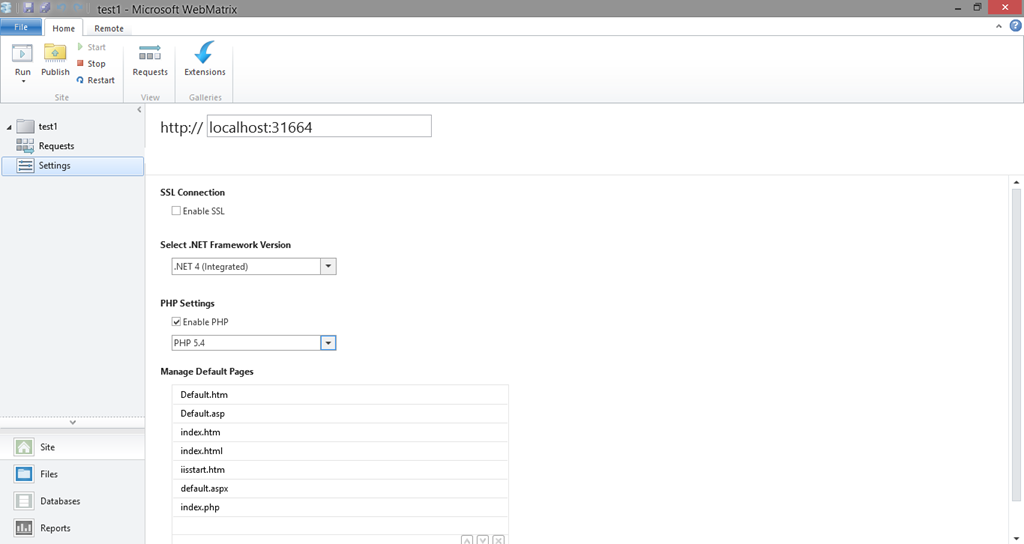
When you create a website in WebMatrix, navigate to Site > Settings. Here you will find the option to enable PHP for your website on the local IIS Express server.
Installing PHP via WPI
You can also install PHP directly through the Web Platform Installer (WPI). Once installed, PHP will be placed in the following directory:
C:\Program Files (x86)\IIS Express\PHP\{version}\
Where {version} corresponds to the specific version of PHP you chose to install.
For further help with installing and configuring PHP in WebMatrix, the IIS.net PHP forums are a great resource. You can also post feature requests and suggestions on the WebMatrix UserVoice page.