
How To Get Started With Twitter Bootstrap
Updated: 15 May 2013
In this post, I will give you a quick overview of how to get started using Twitter Bootstrap in your web project.
Twitter Bootstrap is a front-end framework built around a responsive grid system and a set of JavaScript-powered UI components. It allows you to build polished, well-structured user interfaces very quickly without writing everything from scratch.
Step 1: Download Bootstrap
Download Bootstrap from http://twitter.github.com/bootstrap and copy all of the extracted folders into the root folder of your project. From there, link the CSS and JavaScript files in your HTML pages.
Step 2: Working with LESS (Optional but Recommended)
Bootstrap’s source files are written in LESS, and I personally prefer working with LESS directly rather than the pre-compiled CSS. It gives you much more control over customization and theming. A great tool for compiling LESS files is SimpleLESS. If you are using Visual Studio or WebMatrix, there are also plugins available that will automatically compile your LESS files on save.
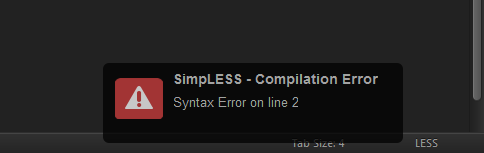
One benefit of working with LESS source files directly is better error reporting. For example, SimpleLESS highlights LESS compilation errors clearly:
Step 3: Link Your Files
Here is an example of how I link the Bootstrap CSS files in my HTML <head>:
<link rel="stylesheet" href="assets/normalize.css">
<link rel="stylesheet" href="assets/css/bootstrap.min.css"/>
<link rel="stylesheet" href="assets/css/bootstrap-responsive.min.css"/>
<link rel="stylesheet" href="assets/style.css"/>
[!NOTE]
normalize.cssdoes not ship with Bootstrap. You need to download it separately from its GitHub repository.
Bootstrap’s JavaScript components require jQuery. Add it before your closing </body> tag:
<script src="assets/jquery-1.8.3.js"></script>
<script type="text/javascript" src="assets/script.js"></script>
Step 4: Learn the Components
Once your files are linked, start exploring the official Bootstrap documentation. There is also a large amount of community-written tutorials available online. If you run into any issues, Stack Overflow and Bootstrap’s GitHub Issues page are your best resources.
Thanks for reading! Feel free to leave a comment with any questions or suggestions. 