
How to Disable PDF.js in Firefox
For the past few versions, Firefox has had native integration of PDF.js, its built-in PDF viewer. Sometimes you may find that it runs very slowly — especially when scrolling through a PDF. If that is the case, you may want to disable it.
Here are the settings to do so:
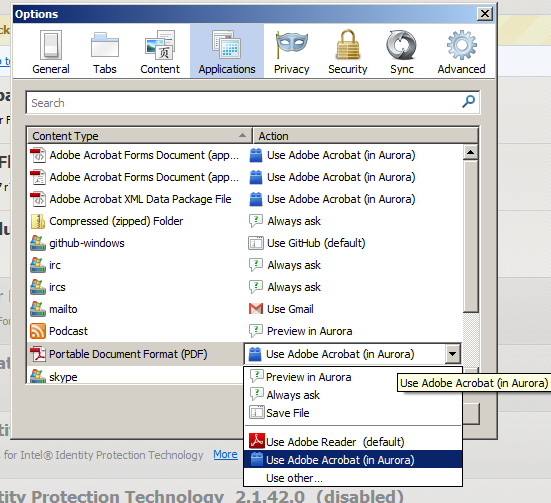
On my system, I have Adobe Reader installed. The first option opens the file in Adobe Reader, and the second option (which I selected) opens it in Firefox itself. Once you switch to Adobe Reader, the slow PDF.js performance issue is resolved.
